Table of Contents:
- Introduction
- Define MM Lite and its role in WhatsApp Business Platform
- Why brands need MM Lite today (scaling marketing, improving ROI).
- Why Meta introduced MM Lite (optimised marketing message delivery).
- Brief mention of Route Mobile’s positioning.
- Comparison matrix
- Explain the difference in purpose (marketing vs utility/auth).
- How both APIs can run in parallel on the same number.
- When to use MM Lite vs Cloud API (decision logic).
- Does MM Lite replace Cloud API? (FAQ) / When to Send via MM Lite and When to Use Cloud API
- Optimised Delivery & Reads: How MM Lite improves engagement.
- Time-to-Live (TTL): What TTL is and why it matters.
- Conversion Tracking: Integration with Meta Pixel / Conversions API.
- Creative Optimisation: Automatic enhancements for better performance.
- Deep Links: App linking and fallback behaviour.
- Improved campaign performance and CTR.
- Better user experience compared to Cloud API.
- Conversions & ROI with MM Lite.
- Why Route Mobile is the ideal BSP for MM Lite.
- Differentiators: onboarding simplicity, analytics, omnichannel integration.
- Promotions and product launches.
- Cart abandonment recovery.
- Lead nurturing and win-back campaigns.
- Seasonal offers and flash sales.
- Opt-in requirements for marketing messages.
- Template category rules (Marketing vs Utility).
- How message limits scale with quality and verification.
- Prerequisites (active WABA, eligibility).
- Activation process via Route Mobile.
- How routing works between MM Lite and Cloud API.
- Template setup guidelines (Marketing category).
- TTL configuration in API payload.
- Measurement hooks for conversions.
- Does MM Lite replace Cloud API?
- Can existing templates be reused?
- How TTL works.
- Conversion tracking details.
- Scaling and limits.
- Upcoming features (creative optimisation, deeper app integration).
- Best practices for campaign optimisation.
Imagine spending your marketing budget sending promotional messages that customers never read. Or messages that arrive at the wrong time and get ignored. This is the reality for many businesses using WhatsApp for marketing today.
With Meta’s new per-message pricing (effective July 1, 2025), every marketing message costs real money. You can no longer afford to send messages that go unread or fail to convert into sales.
What is Marketing Messages API?
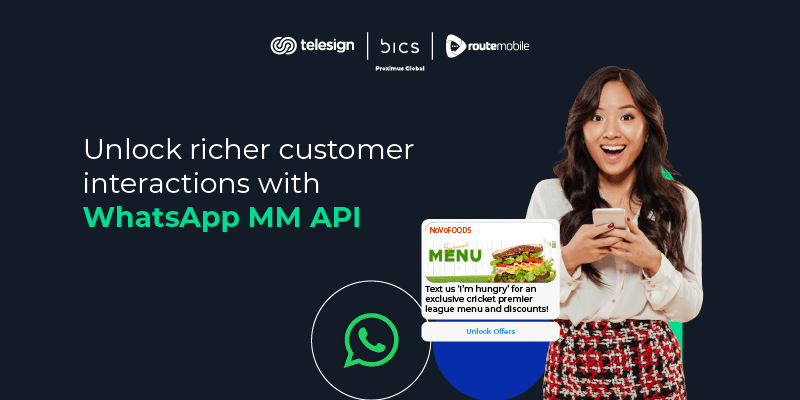
Marketing Messages API (MM Lite) optimizes outbound promotional templates for higher engagement and conversions. Unlike standard Cloud API messaging, MM API uses Meta’s intelligent delivery, based on user signals such as activity and past interactions. Think of MM API as your smart marketing assistant for WhatsApp. It uses artificial intelligence to:
- Find the right time to deliver your message when customers are most likely to read it
- Identify engaged customers who actually want to hear from you
- Track real results, so you know which messages drive sales
- Optimize delivery to maximize your return on investment
Meta developed the MM API to bridge a critical gap in the WhatsApp Business ecosystem. While the Cloud API served businesses well for general messaging, it wasn’t optimized for marketing campaigns. Meta recognized that marketing messages require intelligent delivery optimization, advanced performance tracking, and the ability to scale based on engagement.
By introducing MM API, Meta has essentially brought its advertising expertise into WhatsApp business messaging, creating a powerful tool that helps businesses maximize ROI while maintaining the platform’s user experience standards.
You can still send marketing messages via Cloud API (unoptimized delivery). However, Meta’s frequency capping may prevent users from receiving your message if they’ve already received multiple marketing messages from other businesses that day. There’s also a higher risk of targeting the wrong audience or segment, since the Cloud API doesn’t optimize for engagement signals.
The right approach is to switch to MM API for optimized outbound targeting. With no changes to your existing sender setup, you continue to use the same approved marketing templates, unless you are recommended for creative enhancement, a feature of the Marketing Messages API.
Both APIs work together seamlessly
| Feature | Cloud API | MM API |
| Message Types | Inbound marketing, utilities, authentication, and two-way conversations | Outbound marketing optimization |
| Strength | Versatile, handles everything reliably | Maximizes engagement & delivery |
| Best For | General communications | Targeted outbound promotions |
| Specialization | Comprehensive but unspecialized | Laser-focused on marketing ROI |
Here’s the crucial insight: MM API doesn’t replace the Cloud API; they complement each other perfectly. Both can run simultaneously on the same WhatsApp Business phone number, with Route Mobile’s platform automatically routing messages through the appropriate API based on template category.
When you send a marketing template message, it automatically routes through MM API for optimized delivery since it is already registered on the Cloud API. When customers reply, or you send utility/authentication messages, they are routed through the Cloud API. This intelligent routing happens transparently in the background, requiring no manual intervention or complex configuration.
Also read: Exploring new WhatsApp Business marketing features & templates
Decision logic framework
To determine which API to use, ask yourself these questions:
- Is this a promotional marketing message? → MM API
- Does it require immediate, time-critical delivery? → Cloud API
- Am I responding to a customer inquiry? → Cloud API
- Is this part of a large-scale campaign? → MM API
- Does it involve authentication or verification? → Cloud API
Core features: What makes MM API powerful?
Marketing Messages API isn’t just about better delivery; it’s a comprehensive marketing optimization engine with features specifically designed to maximize campaign performance. Let’s explore what sets it apart.
1. Optimized delivery & enhanced reads
Unlike traditional bulk messaging, which treats every recipient equally, MM API analyzes multiple signals to determine the optimal delivery strategy for each message.
The system considers factors such as:
- Historical engagement patterns: Has this user opened and clicked previous marketing messages?
- Active usage times: When is this user most likely to be active on WhatsApp?
- Message quality signals: How has this template performed with similar audiences?
- Device and connectivity status: Is the user currently online or offline?
Based on these signals, MM API prioritizes delivery to highly engaged users while strategically managing delivery to less engaged segments. This intelligent prioritization results in significantly higher open rates and read receipts compared to standard Cloud API delivery.
2. Time-to-Live (TTL)
Time-to-Live gives businesses precise control over how long marketing messages remain eligible for delivery. This is crucial for time-sensitive promotions and ensures your messages don’t arrive after they’re no longer relevant.
How TTL works: When you set a TTL for a marketing message, you define the maximum period during which Meta will attempt to deliver it. If a recipient is offline when the message is initially sent, Meta’s system will retry delivery at optimal times until either the message is successfully delivered or the TTL expires.
TTL configuration options:
- Minimum TTL: 12 hours
- Maximum TTL: 30 days
- Default WABA setting: Configurable in WhatsApp Manager
- Per-message override: Can be specified in API calls
3. Conversion tracking
Perhaps MM API’s most transformative feature is its native integration with Meta’s conversion tracking infrastructure. Through Meta Pixel and the Conversions API (CAPI), businesses can now track the entire customer journey from a WhatsApp message to a website conversion.
This conversion tracking capability transforms WhatsApp marketing from a “send and hope” channel into a fully accountable, ROI-measurable marketing platform. You can now definitively answer questions like:
- Which templates drive the most purchases?
- What’s the conversion rate of our cart abandonment campaigns?
- How does WhatsApp ROI compare to email or SMS?
- Which audience segments convert best?
With this data, you can optimize campaigns with the same rigor you apply to paid search or social media advertising.
4. Creative optimization
Marketing Messages API includes an innovative feature set that automatically enhances your marketing templates to improve visual appeal and engagement. These optimizations are intelligent and don’t change your message’s core content or meaning.
How it works: When you enable creative optimization, Meta’s AI analyzes your template’s visual elements and applies enhancements it predicts will improve engagement. These changes are tested against the original in real-time, with the system learning which versions perform best for different audience segments.
Control and transparency:
- Optimizations are optional and can be enabled per template
- You maintain full control over which templates receive optimization
- Performance data shows how optimized versions compare to originals
- Templates remain compliant with WhatsApp’s content policies
This feature is particularly valuable for businesses without extensive design resources, effectively providing AI-powered creative assistance that continuously improves campaign performance.
5. Deep links
For businesses with mobile applications, MM API’s deep linking capability enables frictionless transitions from WhatsApp messages to specific app experiences.
Deep link functionality:
- Direct app launches: Open your app to specific products, categories, or screens
- Fallback handling: Redirect to web pages if the app isn’t installed
- Attribution tracking: Know which messages drive app opens and in-app actions
- Universal links: Support both iOS and Android with unified link structures
This capability is transforming WhatsApp from a messaging channel into a direct commerce driver, reducing friction and improving conversion rates for app-based businesses.
Benefits of MM API
The most immediate and visible benefit is the dramatic improvement in campaign performance metrics. Businesses consistently report:
Delivery rate improvements:
- Average improvement: 5-15% across global markets
- India market: Up to 9% higher delivery rates
- High-engagement campaigns: 25-30% improvement in reach
- Consistent delivery during peak periods (festivals, sales events)
Click-Through Rate (CTR) gains:
- 15-40% higher CTR
- Better alignment between message content and engaged audiences
- Reduced message fatigue through intelligent delivery pacing
Open rate optimization:
- Messages delivered when users are most likely to engage
- Higher visibility in chat lists through optimized timing
- Reduced competition with other business messages
These improvements aren’t marginal; they represent substantial gains that directly translate to more customers reached, more offers seen, and ultimately, more conversions generated from the same messaging budget.
MM API’s optimization algorithms don’t just benefit businesses; they also significantly improve the customer experience. By delivering marketing messages more intelligently, MM API helps businesses avoid the pitfalls that lead to customer annoyance and opt-outs.
How does MM API enhance user experience?
- Reduced message fatigue: Users receive marketing messages when they’re most receptive
- Better timing: Messages arrive during active usage periods rather than inconvenient times
- Relevant content: Optimization favors showing messages to users likely to find them valuable
- Less spam perception: Intelligent delivery reduces the feeling of being bombarded
This improved experience creates a virtuous cycle: happier users engage more with messages, which signal to the system to maintain or increase delivery to those users, which drives better campaign results, which justify continued investment in quality content, all while maintaining high customer satisfaction.
Measurable conversions & ROI
With integrated conversion tracking, businesses can finally measure WhatsApp marketing with the same precision as other digital channels. This measurability transforms how marketing teams approach WhatsApp campaigns.
ROI measurement capabilities:
- Direct attribution: Link specific messages to website conversions
- Campaign comparison: Identify which templates and audiences deliver the best ROI
- Funnel analysis: Understand drop-off points in the customer journey
- LTV calculation: Measure long-term customer value from WhatsApp acquisition
Route Mobile advantage
Choosing the right Business Solution Provider makes all the difference in maximizing MM API’s potential. Route Mobile brings distinctive advantages that transform Marketing Messages API from a technical capability into a strategic business asset.
Seamless integration: Route Mobile’s platform integrates MM API capabilities with existing business systems through robust APIs, webhooks, and pre-built connectors for popular CRM, e-commerce, and marketing automation platforms.
Key differentiators
Route Mobile streamlines the MM API enablement process, handling the complex Meta authorization workflows and ensuring all prerequisites are met before activation. What could take weeks becomes a matter of days with expert guidance.
Beyond basic delivery metrics, Route Mobile provides comprehensive analytics that help you:
- Compare MM API vs Cloud API performance across campaigns
- Identify your best-performing templates and audiences
- Forecast campaign reach based on historical engagement
- Monitor quality ratings and compliance metrics
- Track conversion attribution across the customer journey
Route Mobile’s platform automatically determines whether each message should use MM API or Cloud API based on template category, ensuring optimal delivery without manual intervention or complex business logic.
Understanding where MM API delivers maximum impact helps businesses prioritize their implementation efforts. Here are the most compelling use cases where MM API excels.
Promotions and product launches
- Prioritizes delivery to customers with a history of purchasing from launch campaigns
- Optimizes send timing for when each customer is most likely to browse and shop
- TTL set to 24 hours ensures messages don’t arrive after launch day
- Creative optimization enhances product imagery for maximum visual impact
- Conversion tracking attributes purchases directly to the WhatsApp campaign
Cart abandonment recovery
- Delivers abandonment messages when customers are most likely to complete a purchase
- Personalizes timing based on individual shopping behavior patterns
- Deep links open the app directly to the customer’s cart
- Tracks which abandoned cart messages lead to completed purchases
- A/B tests different discount levels across audience segments
Seasonal offers and flash sales
- Geo-targeted delivery based on customer location relative to restaurant branches
- Time-optimized sends during meal planning windows (10-11 AM, 4-5 PM)
- Short TTL (3-6 hours) maintains offer urgency
- Deep links enable one-tap booking or online ordering
- Real-time conversion tracking shows which locations drive most orders
Compliance & messaging limits
Success with MM API requires understanding and adhering to WhatsApp’s policies and limit structures. Route Mobile’s platform helps you stay compliant while maximizing reach.
Opt-in requirements for marketing messages
WhatsApp maintains strict opt-in requirements for all business-initiated messages, and these apply equally to MM Lite campaigns.
Valid Opt-in methods:
- Website signup forms with explicit WhatsApp consent
- In-store registrations with clear permission statements
- Post-purchase opt-ins during checkout process
- Click-to-WhatsApp ads (provides 72-hour messaging window)
- QR code scans with accompanying consent language
Invalid Opt-in methods:
- Purchasing contact lists
- Adding users without explicit consent
- Assuming consent from other channel permissions (email, SMS)
- Pre-checked consent boxes
- Overly broad consent language
Best practices:
- Clearly state what types of messages users will receive
- Provide easy opt-out mechanisms in every message
- Maintain records of opt-in consent
- Honor opt-out requests immediately
- Periodically reconfirm consent for inactive contacts
Route Mobile’s platform includes opt-in management features that help you maintain compliant contact lists and avoid accidental messaging to users who haven’t provided proper consent.
Critical Distinction: Marketing templates must be clearly promotional in nature and should not be disguised as utility messages. Misclassifying templates can result in rejection during approval or quality rating penalties after deployment.
MM API’s impact on limits: MM API’s optimization helps improve the metrics that drive tier advancement by:
- Delivering messages to engaged users who are less likely to block
- Improving engagement rates through intelligent timing
- Reducing delivery failures through optimization
- Maintaining positive user experience signals
Monitoring and management: Route Mobile’s platform provides real-time visibility into:
- Current messaging tier and limits
- Quality rating status and trends
- Tier advancement progress and blockers
- Usage patterns across phone numbers
- Recommendations for limit optimization
By maintaining high-quality standards and leveraging MM API’s optimization, businesses can scale their messaging capacity while protecting their WhatsApp Business reputation.
Onboarding steps with MM API:
Implementing MM API through Route Mobile is straightforward, with the platform handling technical complexities behind the scenes.
Activation process via Route Mobile
Step 1: Request MM API Enablement Contact your Route Mobile account manager or initiate the request through the platform’s dashboard. Route Mobile will verify your eligibility and prepare your account for activation.
Step 2: Meta business portfolio authorization
- Route Mobile sends an authorization request to your Meta Business Portfolio
- All Business Manager admins receive notification email
- Admin logs into Meta Business Settings and reviews the request
- Admin accepts the request, granting necessary permissions
Alternative method:
- Log in to Meta Business Settings directly
- Navigate to the “Requests” tab
- Locate Route Mobile’s MM API authorization request
- Review permissions being requested
- Accept and confirm authorization
Step 3: WABA configuration Once authorization is complete, Route Mobile configures your WABA for MM API messaging:
- Creates a read-only ad account for template mirroring
- Establishes routing rules between MM API and Cloud API
- Configures webhooks for delivery status and conversion tracking
- Sets default TTL and creative optimization preferences
Step 4: Template migration Your existing approved marketing templates are automatically available for use with MM API—no re-submission or re-approval required. Route Mobile verifies that templates are properly categorized and ready for optimized delivery.
Step 5: Campaign testing Before full deployment, Route Mobile recommends:
- Sending test campaigns to internal team members
- Verifying message routing is functioning correctly
- Confirming conversion tracking is capturing events
- Reviewing initial delivery and engagement metrics
Step 6: Full activation With testing complete, your MM API integration is live. All future marketing template messages automatically route through MM API for optimized delivery, while utility, authentication, and conversational messages continue using Cloud API.
FAQ
Does MM Lite replace Cloud API?
No. MM Lite (MM API) works alongside Cloud API on the same WhatsApp number.
MM API handles marketing messages with optimization, while Cloud API continues managing utility messages, authentication, and customer conversations. Your Business Solution Provider automatically routes messages to the right API based on template category with no manual work needed.
Can existing templates be reused?
Yes. All your approved marketing templates work immediately with MM API with no resubmission or reapproval required.
Templates already categorized as Marketing automatically use MM API optimization. You can optionally enable creative optimization or add conversion tracking to improve performance further.
How does TTL work?
TTL (Time to Live) is your message’s expiration window.
When you set a 24-hour TTL, Meta tries to deliver your message for 24 hours. If the customer is online, it delivers immediately. If offline, Meta keeps trying until either the message is delivered or TTL expires.
Why it matters: A “Flash Sale Today” message won’t arrive tomorrow when it’s no longer relevant. Set TTL to match your offer’s validity period.
How does conversion tracking work?
It connects WhatsApp messages to actual sales.
- Customer receives your WhatsApp message
- Clicks the link to your website or app
- Takes action (purchases, signs up, etc.)
- Meta Pixel or Conversions API tracks this action
- Meta attributes the conversion to your WhatsApp message
- You see results in WhatsApp Manager: which templates drove sales and your ROI
Requires: Meta Pixel installed on your website and conversion events configured.
How do messaging limits and scaling work?
WhatsApp uses a 4-tier system:
- Tier 1: 1,000 messages per day (starting point)
- Tier 2: 10,000 messages per day (maintain quality for 7 days and send 1K messages)
- Tier 3: 100,000 messages per day (maintain quality for 7 days and send 10K messages)
- Tier 4: Unlimited (maintain quality and get Meta Verified)
Your quality rating (High, Medium, Low) is based on blocks, reports, and engagement. MM API helps you advance faster by improving engagement metrics and maintaining high-quality scores.
Advancement is automatic. When you meet requirements, WhatsApp upgrades your tier.
Conclusion
Marketing Messages API represents a fundamental evolution in WhatsApp business messaging. By bringing Meta’s sophisticated advertising optimization technology to WhatsApp marketing, MM API transforms promotional messaging from a simple broadcast tool into an intelligent, measurable, and highly effective marketing channel. Businesses that embrace MM API now gain a competitive advantage with better delivery, higher engagement, and clear proof of marketing ROI. Contact us for more information or support on MM API.